Your system of record.
Every object on the record is mirrored into a database that belongs to your tenant alone, refreshed on a five minute tick for the busy objects and a full pass nightly, with count parity verified against the source.
Nobody walks up to a colleague and asks what the CRM says. They ask where things stand. Mayeshal answers that question from the records, the documents and the individual pages inside them at the same time, under the permissions the person asking already has, and it names the page it read.
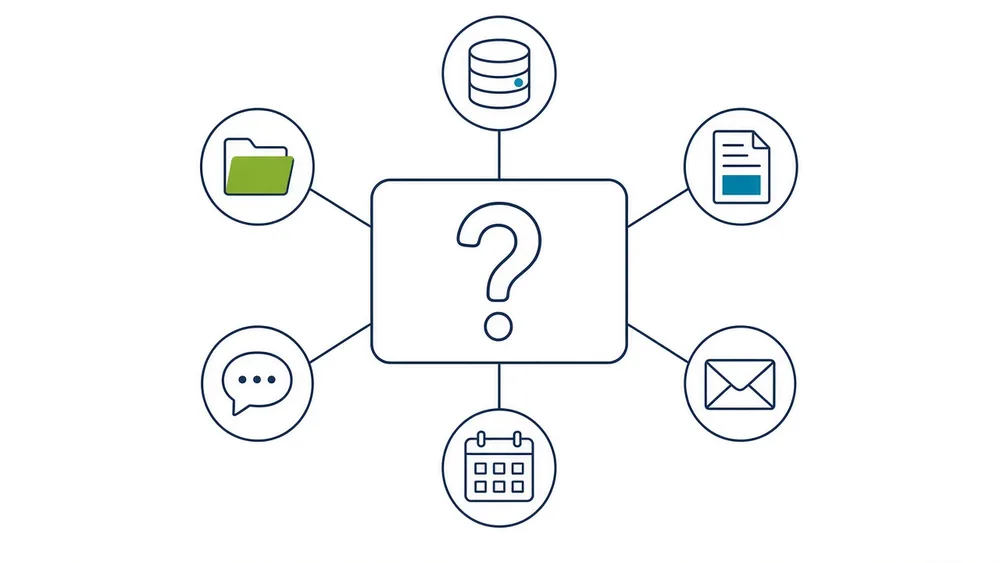
AI gets better the more of the file it can see. That is the whole mechanism, and it is why buying five separate tools does not add up to one good one. The records tool has never read the email. The intake product does not know what was said on the phone last week. Each one answers confidently from a fraction of the picture, and none of them can answer the only question anyone is actually asking.
The second half of the problem is quieter and it kills more rollouts. Two tools produce two numbers, nobody knows which is right, and people go back to doing it by hand. That happens months after the invoice cleared, and it is a structural problem rather than a discipline problem.
One layer that reads across all of it does not have that failure mode, because there is only one answer and it carries its source.
Four things happen between the question and the answer, and the second one is the one most products skip.
Type the question the way you would say it out loud. The assistant picks the tools it needs rather than making you pick a menu item, and each tool it runs is named on screen while it runs.
Before a single tool executes, the platform resolves what the person asking is allowed to see in the source system. An agent can never read or write where the person behind it could not. That check is first, every time, with no fast path around it.
The mirror of your records, the summaries of every document, and the indexed pages underneath them are all in scope at once. Search runs inside one record or across every record you are entitled to see.
Every claim names the document and the page, and the link opens the file at that page. Where the record does not support a conclusion the answer says so and names what is missing rather than filling the gap from memory.
The answer is only as wide as the systems you have switched on, so here is exactly what is in scope.
Every object on the record is mirrored into a database that belongs to your tenant alone, refreshed on a five minute tick for the busy objects and a full pass nightly, with count parity verified against the source.
Every attachment opened page by page, indexed, summarised and citable, then held in your own storage after first read so a file already read stays openable when the source system is slow.
The thread where something was conceded and the calendar events that carry the real dates. These connectors are written and are authorised in your own tenant as an implementation step rather than a build.
Read access is scoped to what the calling user may see, and every write back into a source system is staged, whitelisted and approved by a person before it lands.
Asking across everything is industry neutral by construction. The pack on top of it is what gives the answer your industry words.
Records, deadlines, negotiations and the document file never sit in one place, and the client is asking one question about all of it.
Legal pack, live in productionClient records, a books and records obligation, and an examiner who wants to see what you knew and when.
Pack built and signedSpecification, supplier and quality data spread across systems that were never introduced to each other.
First customer buildClient documents arriving as PDFs and email, and a person moving them into a spreadsheet by hand.
First customer buildEverything means every system you have connected, and nothing more than that. On the day you go live the answer covers the systems that are switched on, and the interface says which those are rather than implying a wider reach. Mail, calendar and meeting transcription are authorised during implementation, so the shape of the answer changes as each one lands.
It does not search the open web. Research runs over what your organisation holds, which is the point, and it means the assistant will not go and find you an article.
It does not decide. Grades, bands, flags and recommendations are inputs to a person, and the screen says so where it matters. If the pages do not support an answer, the honest output is that they do not, and that is what you get.
Thirty minutes, on a screen share, on a matter you pick. We connect nothing, install nothing and ask for no credentials to have that conversation. If it is not obviously useful in the first ten minutes, we will tell you so and you get your afternoon back.